Citizen Resilience & Support Portal
A self-initiated concept created for learning purposes.
Reimagining Singapore’s digital services through a web-based, AI-assisted portal that guides citizens through post-death administrative tasks with calmness, clarity, and reduced cognitive load.
Link to prototype:
The Product
The Citizen Resilience & Support Portal streamlines post-death administrative tasks into one guided, AI-assisted journey. It provides clear next steps, secure data retrieval, and calm, task-focused guidance. The experience reduces cognitive load, improves cross-agency clarity, and supports citizens in completing essential actions with confidence.
Focus Areas
Content Design & Microcopy, Information Architecture, Cognitive Load Reduction, Civic Service Design, Interaction Design, Emotional Design, AI Experience Design
Role
Sole UX/UI Designer (end-to-end product thinking, UX strategy, content design, wireframing, UX writing, interaction design, prototyping)
Project Duration
5 days
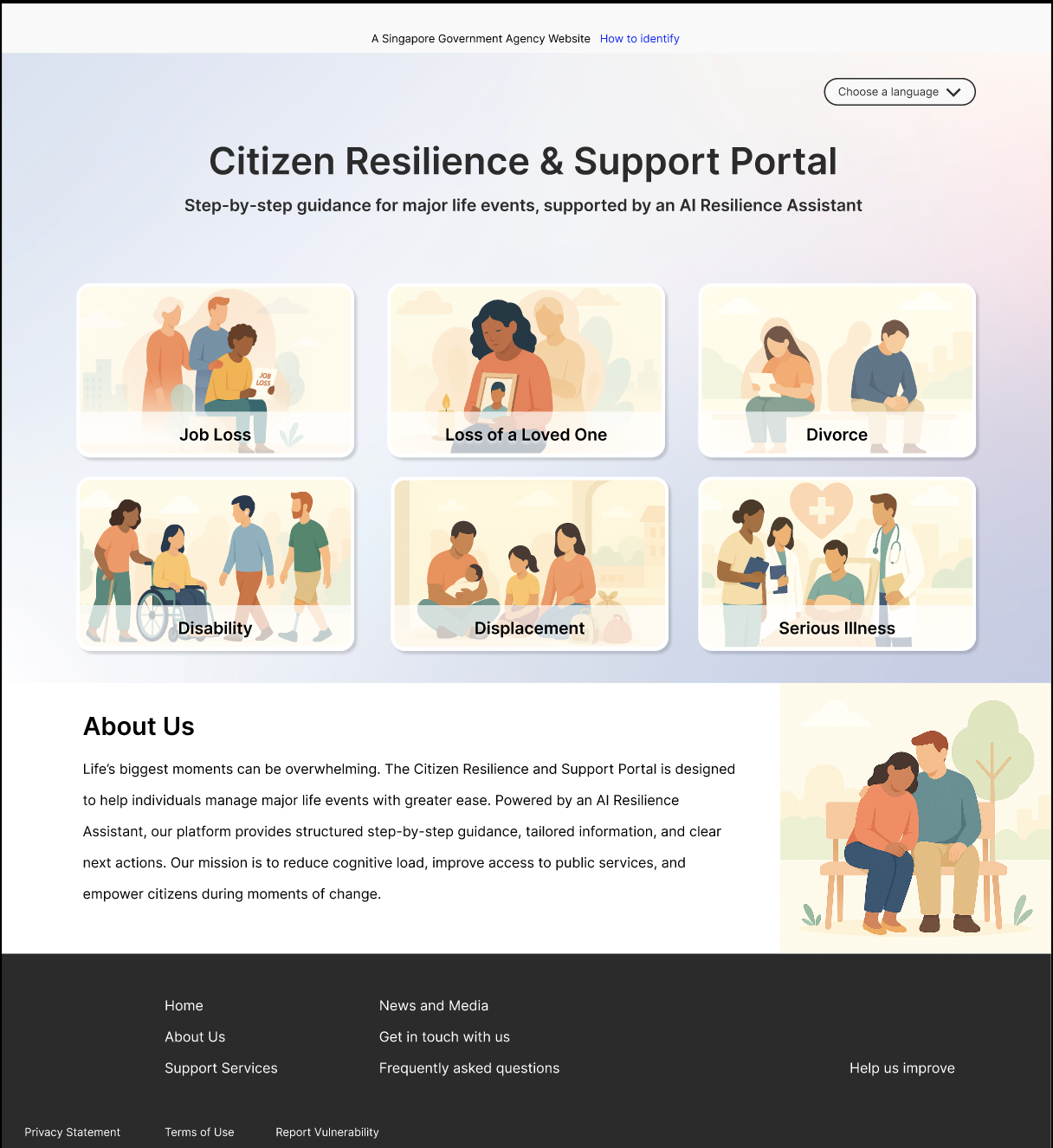
When someone passes away, families are required to complete a large number of administrative tasks across multiple agencies (e.g. CPF, HDB, banks, insurer) within a short amount of time. These tasks often happen during grief or shock, and simple tasks can feel overwhelming. In Singapore, most services exist, but they live on separate sites, in separate forms, with separate deadlines.
This concept explores how a single guided portal, supported by Singpass, MyInfo and a restrained AI co-pilot, could make the emotionally heavy process more manageable, easier to follow, and less stressful to complete.
This case focuses on UX writing, information architecture, content clarity, interaction design and design for sensitive contexts.
context & intent
Bereavement creates a heavy emotional load. Administration creates a heavy cognitive load. Together they compound, often making straightforward tasks feel unmanageable.
Primary problem
User Problems
Families struggle because:
They don’t know what to do first
They are unsure with websites or agencies to visit
They don’t know what’s required
The journey spans many agencies
They are overwhelmed by fragmented information
They fear making mistakes in legal or financial paperwork
Paperwork competes with grief, logistics and family coordination.
Service Gaps
No consolidated post-death admin guidance
No personalised task ordering based on situation
No multi-agency progress tracking
Limited empathetic UX writing in administrative contexts
Low cognitive support tools (checklists, sequencing, autofill, time estimates)
Design Challenge
How might we make post-death administrative tasks feel less fragmented, less mentally taxing, more navigable and paceable?
If tasks are consolidated, sequenced, and explained with plain-language content and progressive guidance through an AI co-pilot, supported by secure autofill via Singpass/MyInfo, users will complete tasks more accurately and with less mental strain.
Hypothesis
AI assists with:
Sequencing tasks
Explaining requirements
Clarifying purpose
Filling forms using MyInfo data
Explaining steps in simple language
Recommending next steps
Giving time estimates and reminders
Giving progress reassurance
I chose a co-pilot model instead of full automation.
The choice of Ai
AI avoids:
Emotional counselling
Legal advice
Subjective opinions
Acting as a “warm friend”
Choosing a tone that is calm, respectful, neutral and task focused matches how many Singapore government services communicate and respect cultural boundaries around grief and administrative matters.
scope & boundaries
Prioritised:
Web-first
Secure data retrieval only
Task sequencing
Form clarity and auto-fill
Document checklists
Progress and save/return
Light personalisation
Reminders and scheduling
Intentionally excluded:
Mobile-first optimisation
Cross-agency automation
Multi-family collaboration
Human support escalation
Complex legal journeys
Insurance claims automation
Financial calculators for estate
Religious/ritual-related support
Home
Login (Singpass)
Light Onboarding
Personalised task overview
Task category
Task detail
AI guidance
Form input and auto-fill
Progress marker
Next steps
Document checklist and task scheduler
Save + return later
Proposed journey
Instead of asking users to decide where to begin, the system recommends a starting point.
design Decisions
High-fidelity prototype
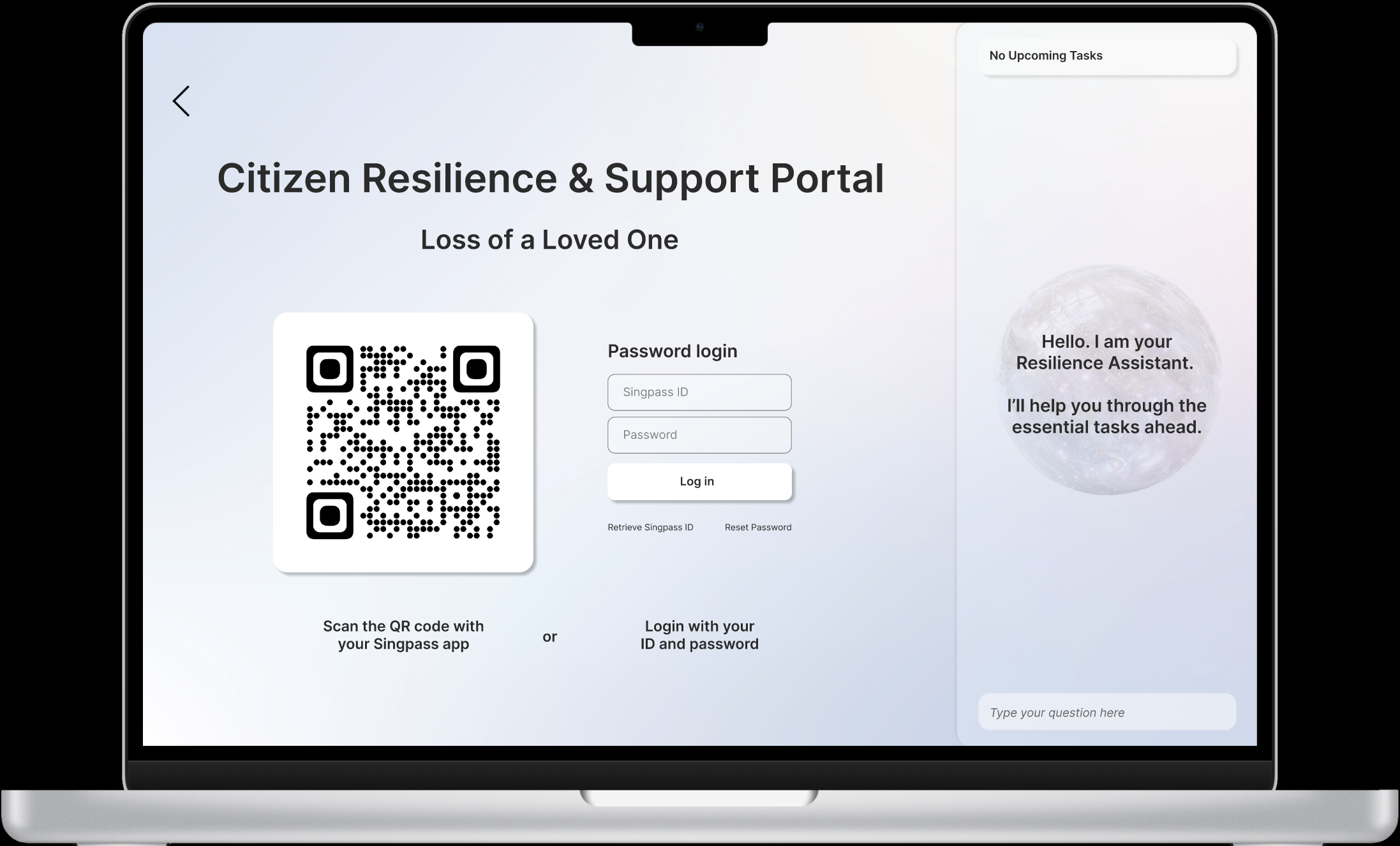
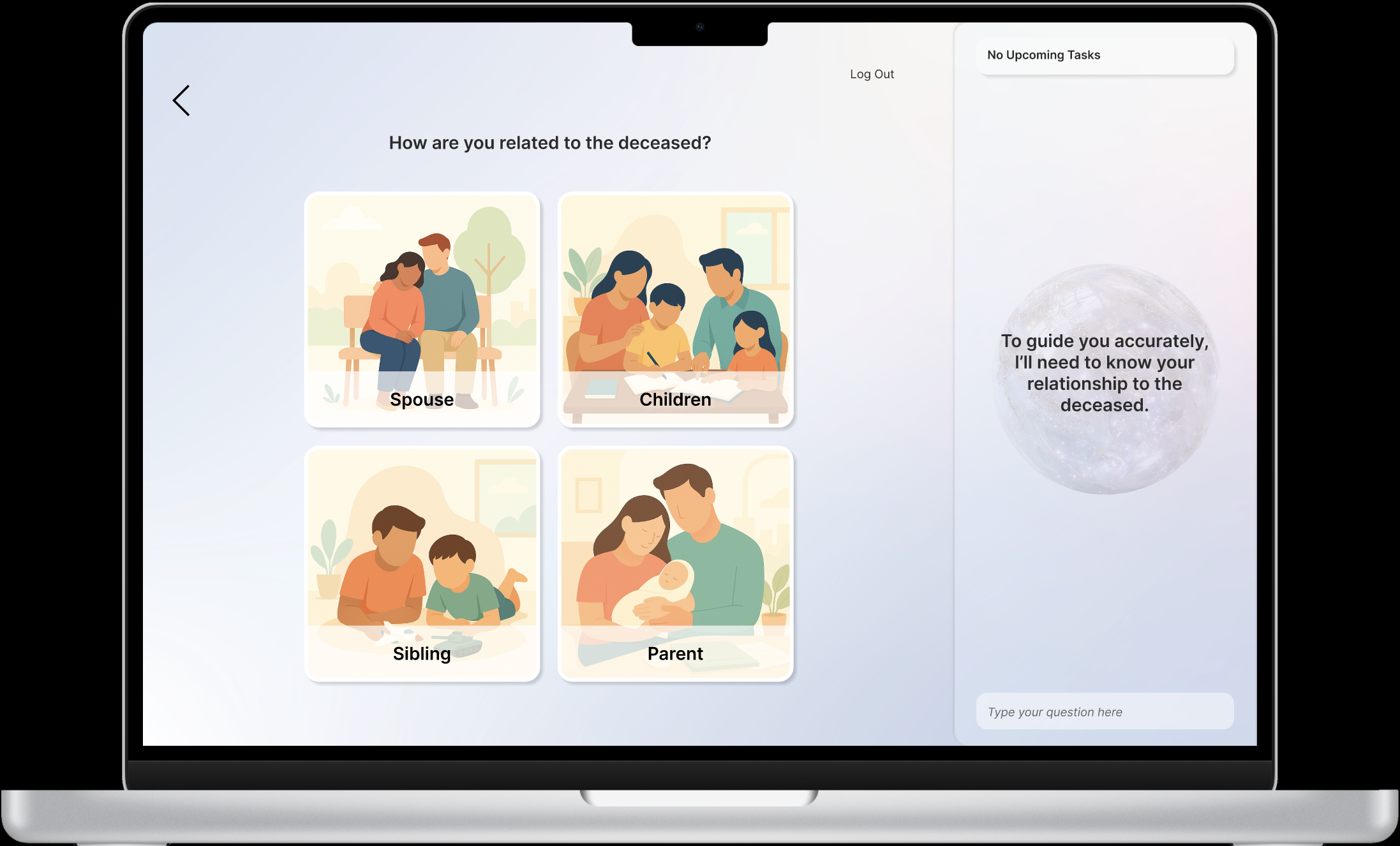
Lightweight, calming UI: Neutral colours and generous whitespace.
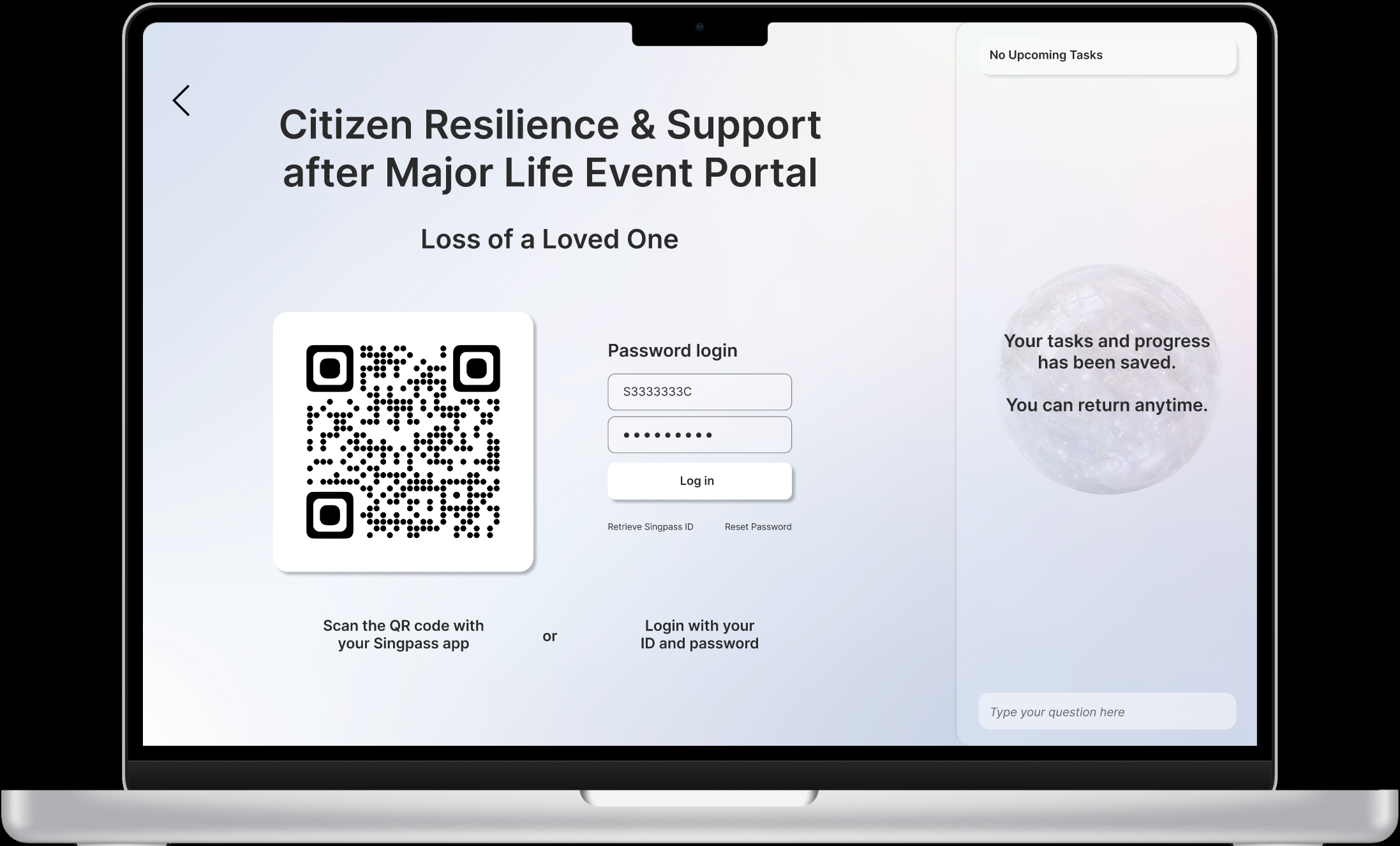
Log in: Singpass verification
Multilingual
Light onboarding: Personlise without interrogation, essential questions only.
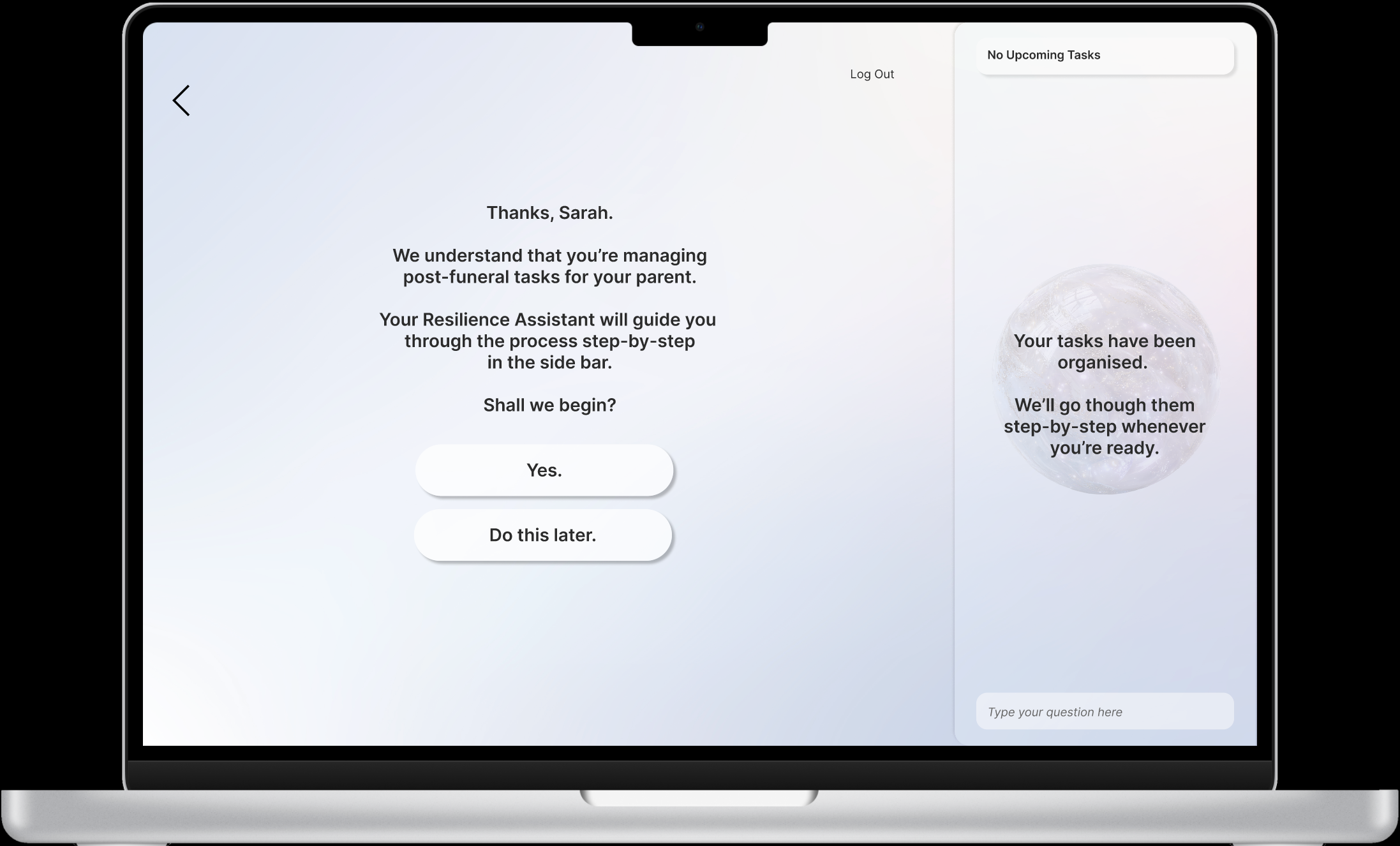
Neutral, empathetic plain-language microcopy.
AI Resilience Assistant: Uses a neutral, grounded tone focused on task completion and avoids over-interjecting to maintain user autonomy.
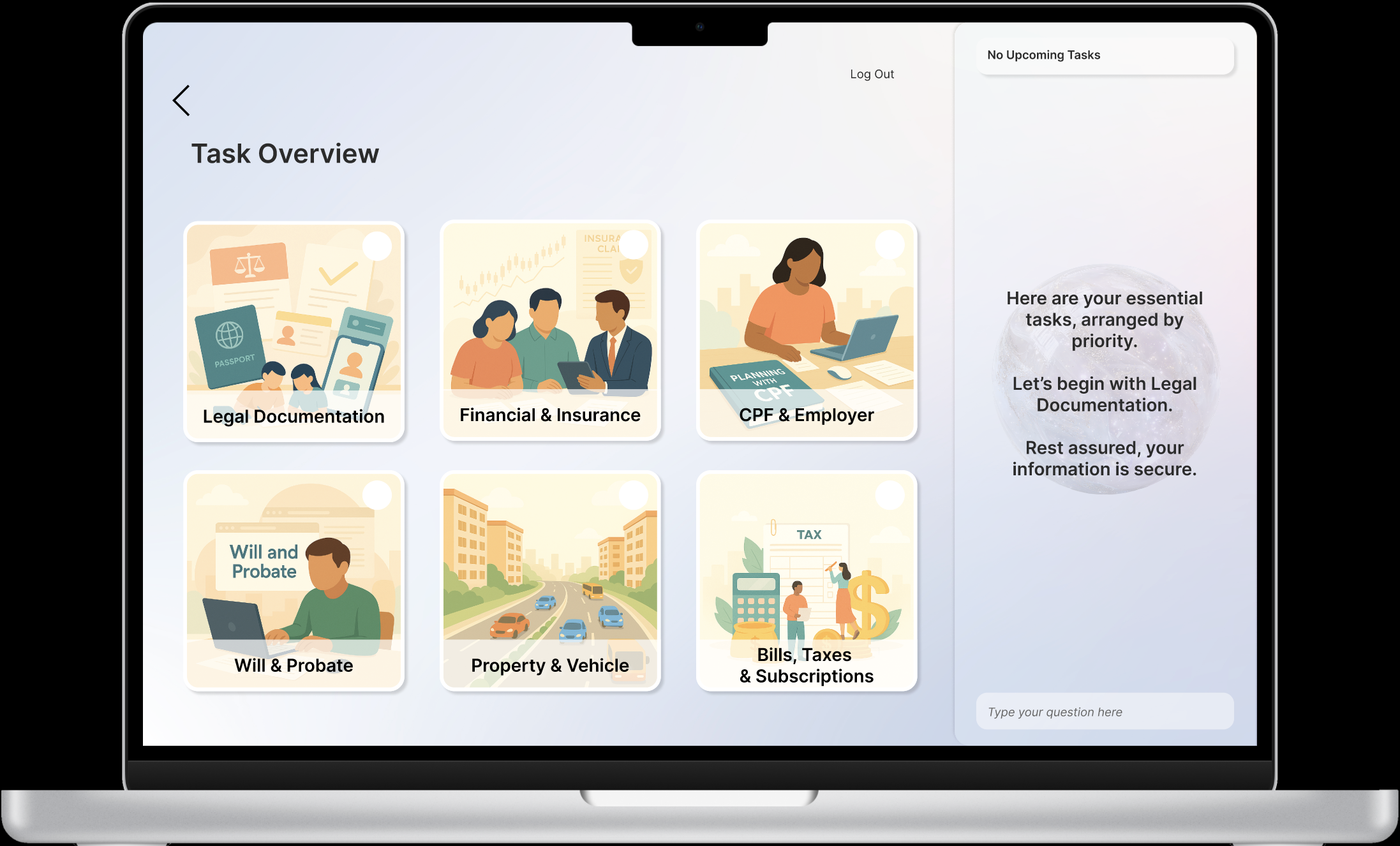
Give clear plan of action.
Reduced decision points: Essential tasks are prioritised clearly.
Task block cards instead of long pages: Chunked steps reduce cognitive load and lets users to tackle one thing at a time.
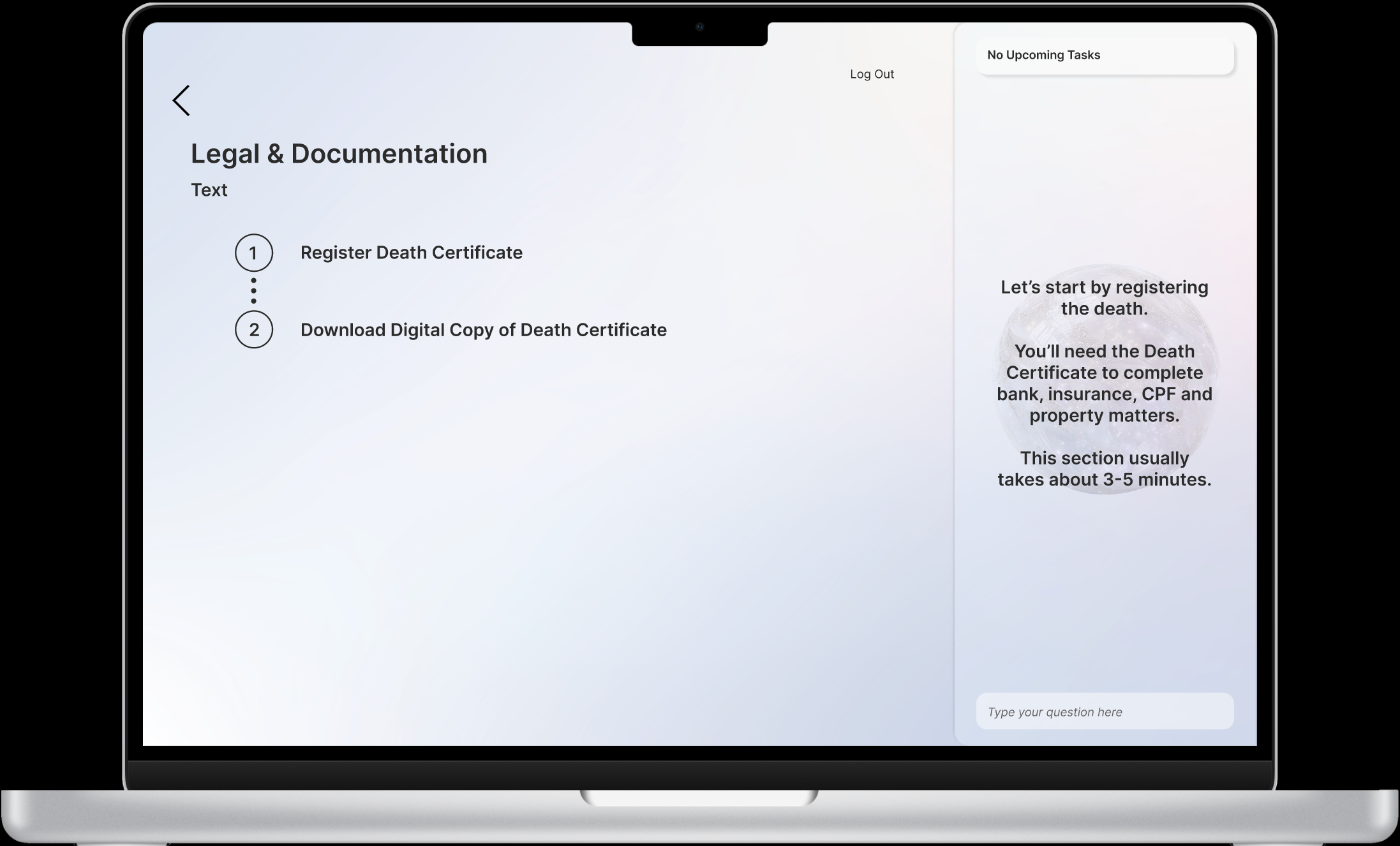
Security is emphasised and reiterated where needed.
Time estimates and purpose notes: Help citizens understand why each step matters.
Small explanations reduce anxiety around mistakes.
Progressive disclosure: Keep screens visually calm by revealing details only when needed.
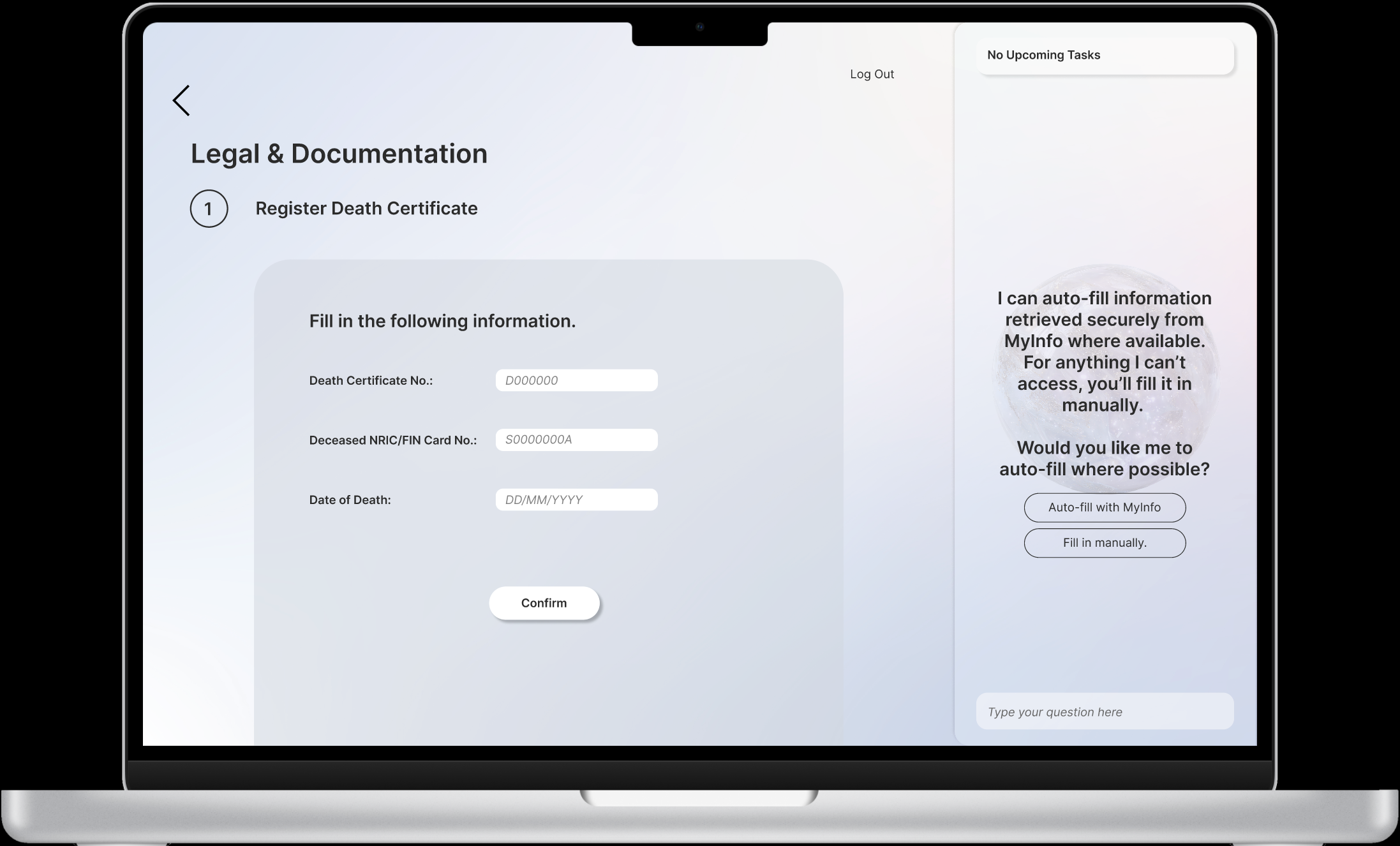
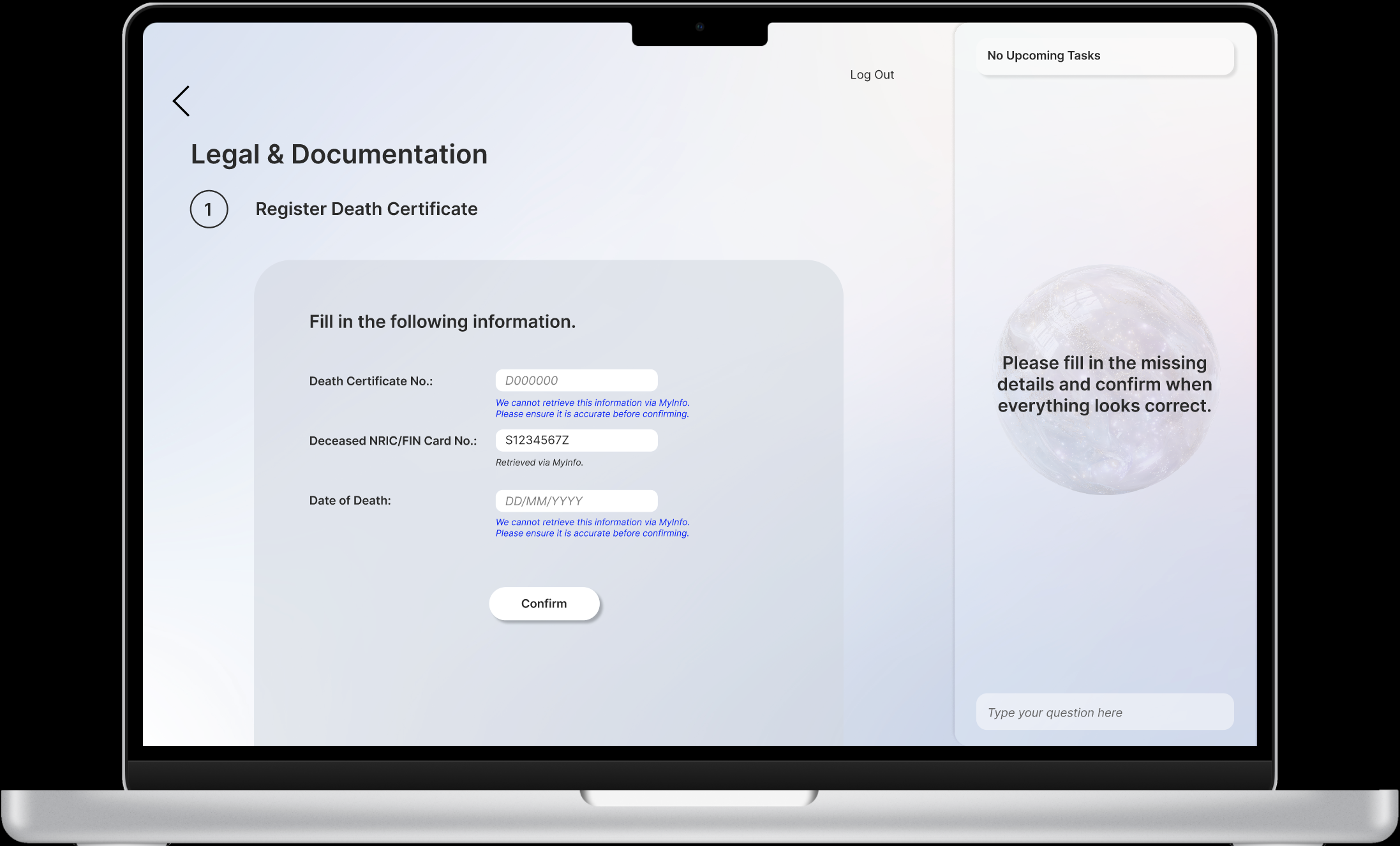
Forms are where cognitive load spikes. Auto-fill reduces recall and speeds accuracy.
AI-assisted form filling: MyInfo auto-fill
Information is retrieved and auto-filled where applicable.
AI-assisted form filling: Confirmation prompts for users to verify details.
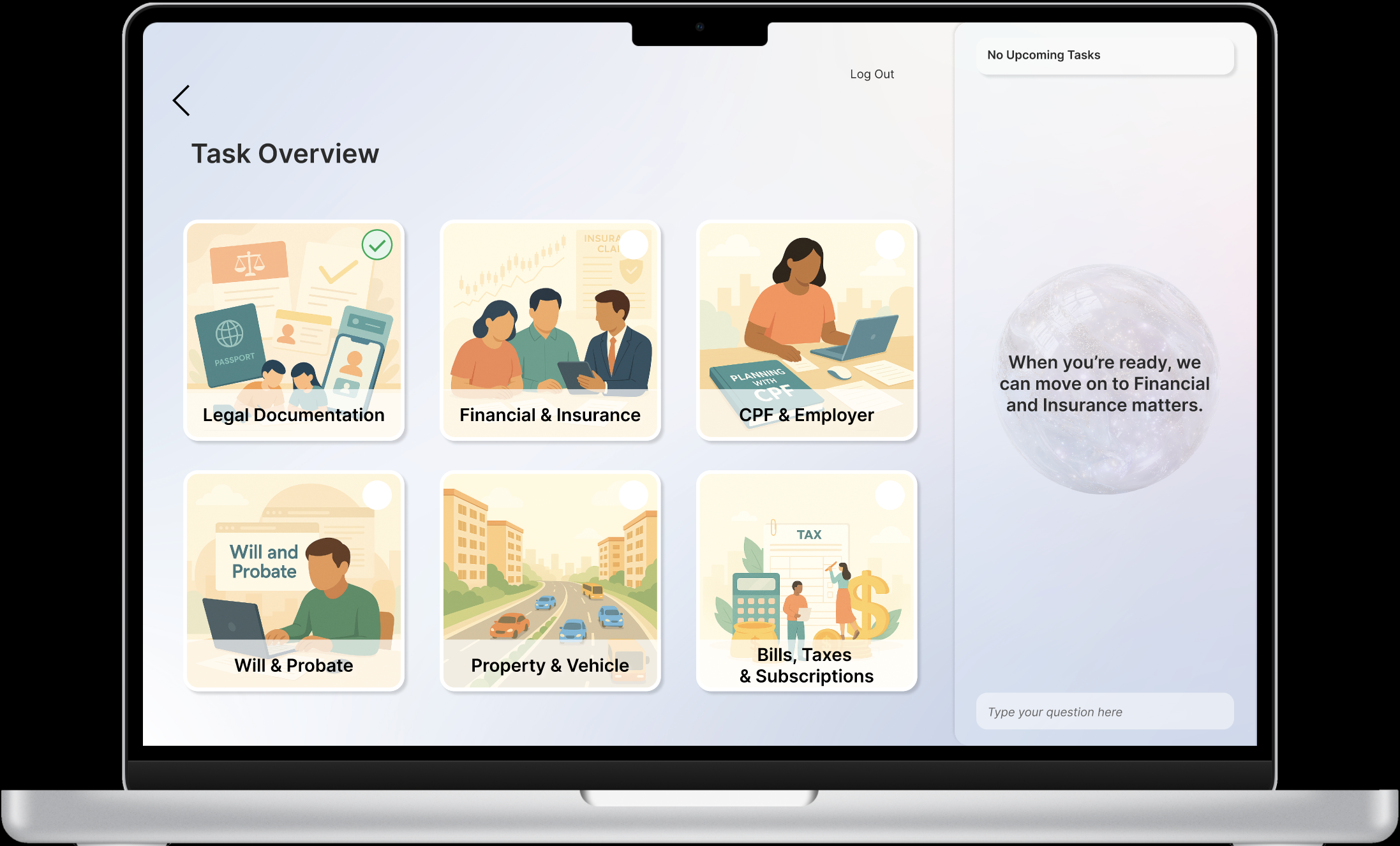
Progress marker: A green check mark appears for sections that are fully completed
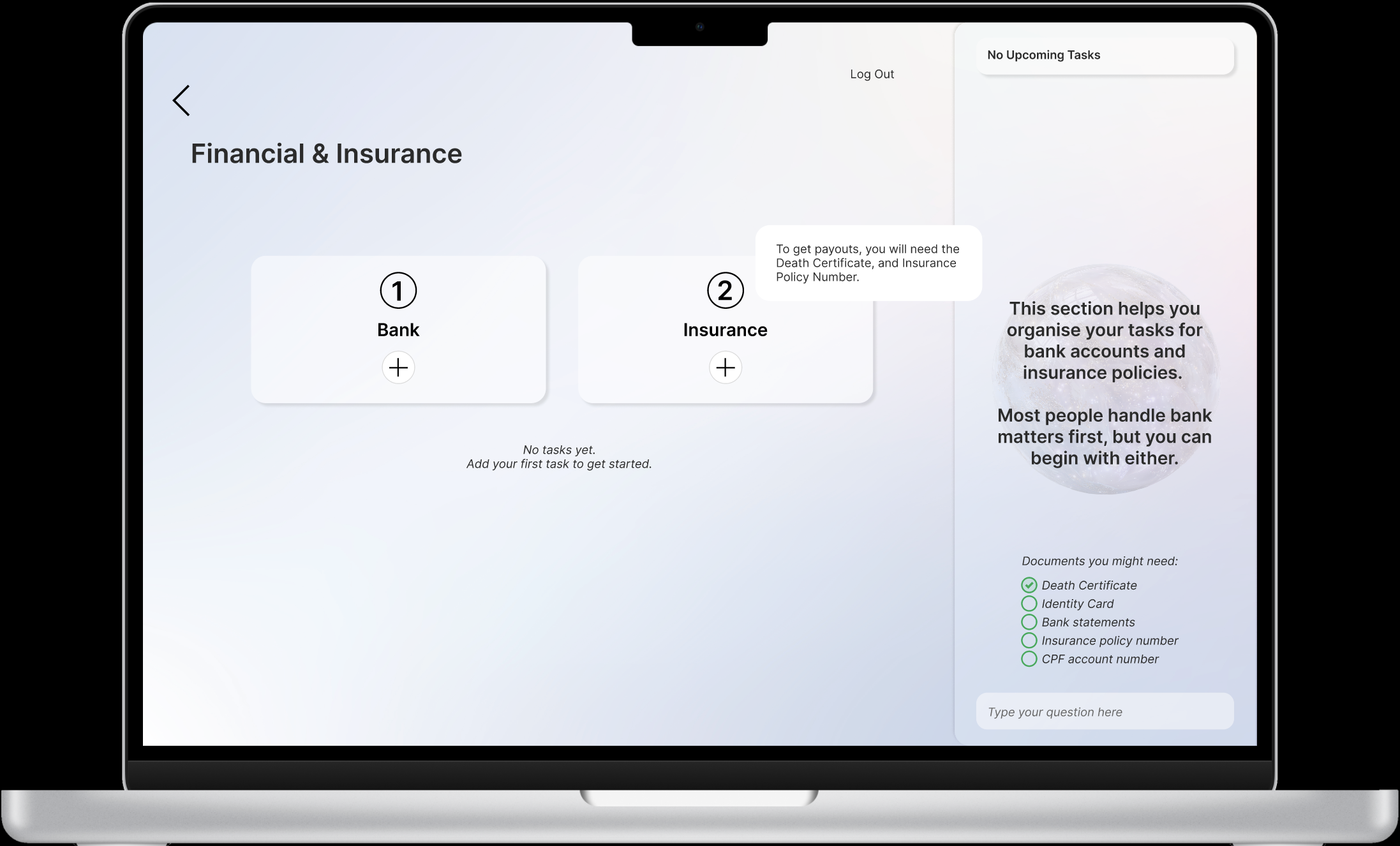
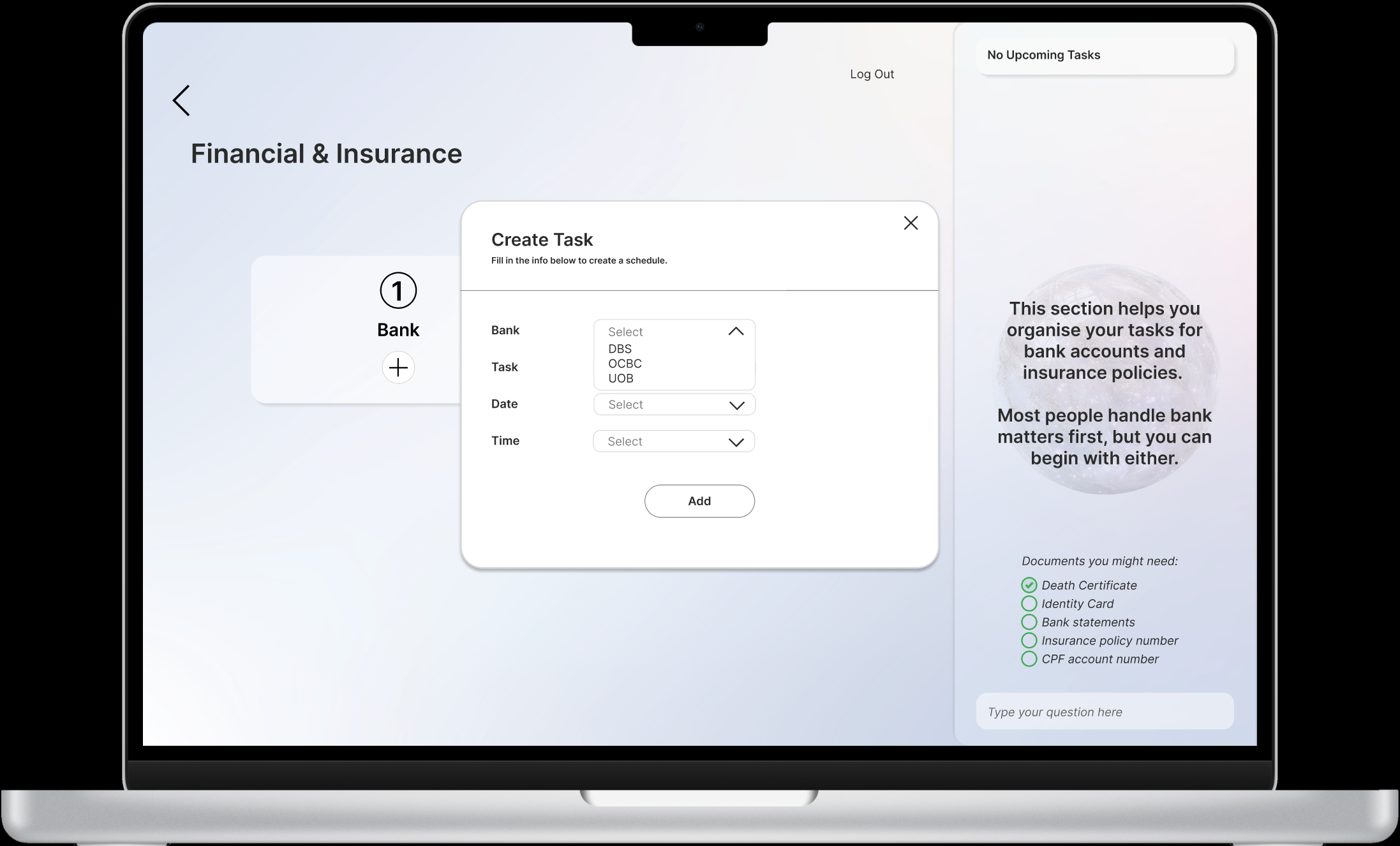
Document previews: Hovering over a section highlights the documents potentially required.
Document checklist and task scheduler: Helps users stay organised and prepared.
Drop-down selections for scheduling: Reduces cognitive load by allowing users to select pre-defined tasks and agencies.
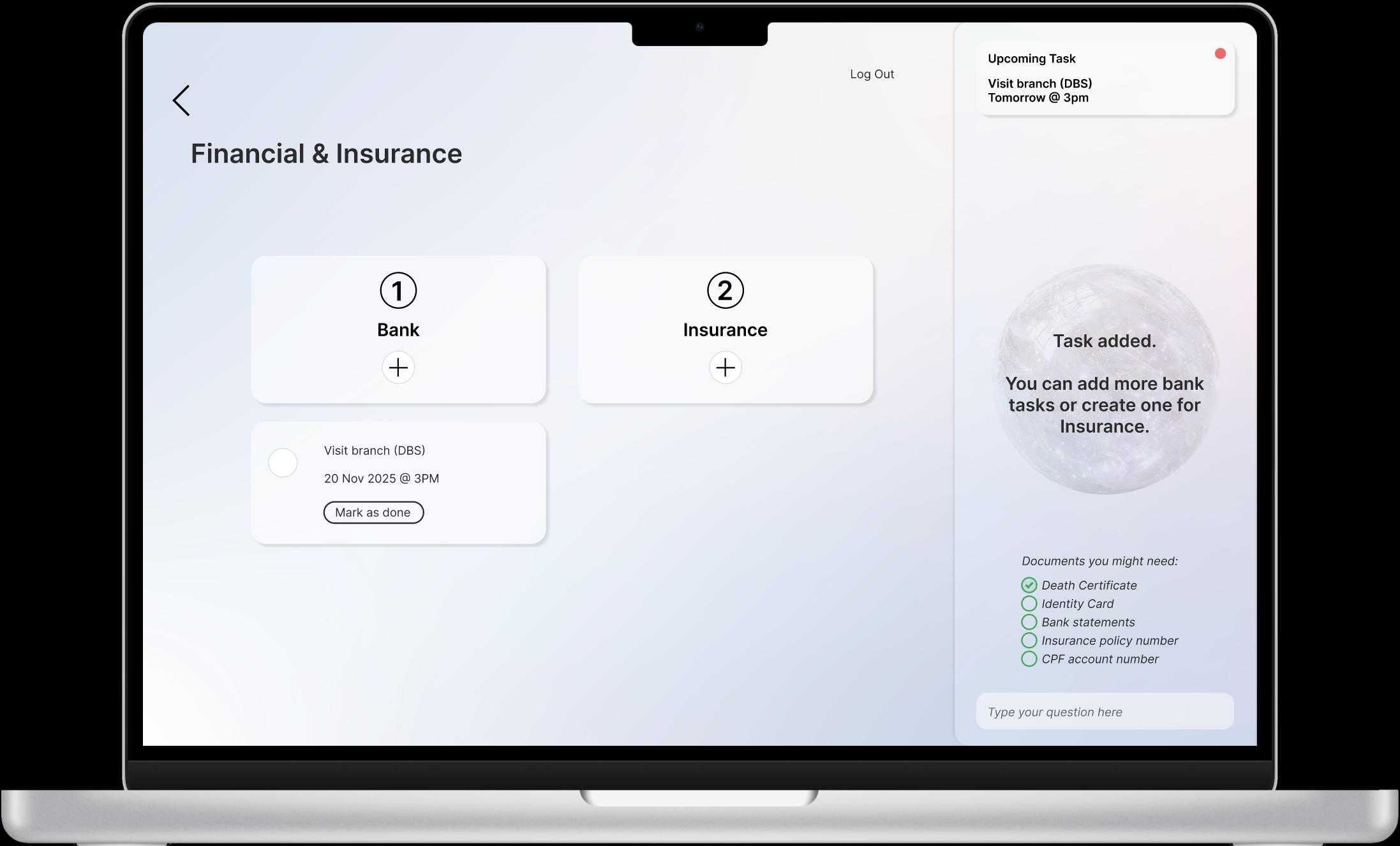
Task confirmation card: Newly added tasks appear in a concise card format.
Toast notifications: Inform users of upcoming tasks.
Support realistic pacing: people rarely finish everything in one sitting.
Logout experience: The AI reassures that progress has been saved and users can return at any time.
This lens guided most decisions:
chunking instead of paragraphs
sequencing instead of free browsing
pause/return instead of forced completion
purpose notes instead of technical labels
auto-fill instead of user recall
neutral tone instead of emotional warmth
checklists instead of memory
This transfers well to healthcare, insurance, safety and civic services.
Cognitive Load Reduction
Trade-offs & Content Strategy Decisions
Warm vs neutral tone → neutral
Progressive sequencing vs full overview → progressive sequencing
Automation vs co-pilot → co-pilot
Mobile vs web → web
Single user vs collaboration → chose single user for now
These choices kept the product feasible and emotionally appropriate.
To move beyond concept, I’d validate:
readability under stress
sequencing clarity
tone safety
form fatigue
pause vs complete behaviours
missing tasks for edge cases
Qualitative signals of success:
“I know what to do next.”
“I’m not scared of making mistakes.”
“I can stop and continue later.”
“This feels manageable.”
future work & testing
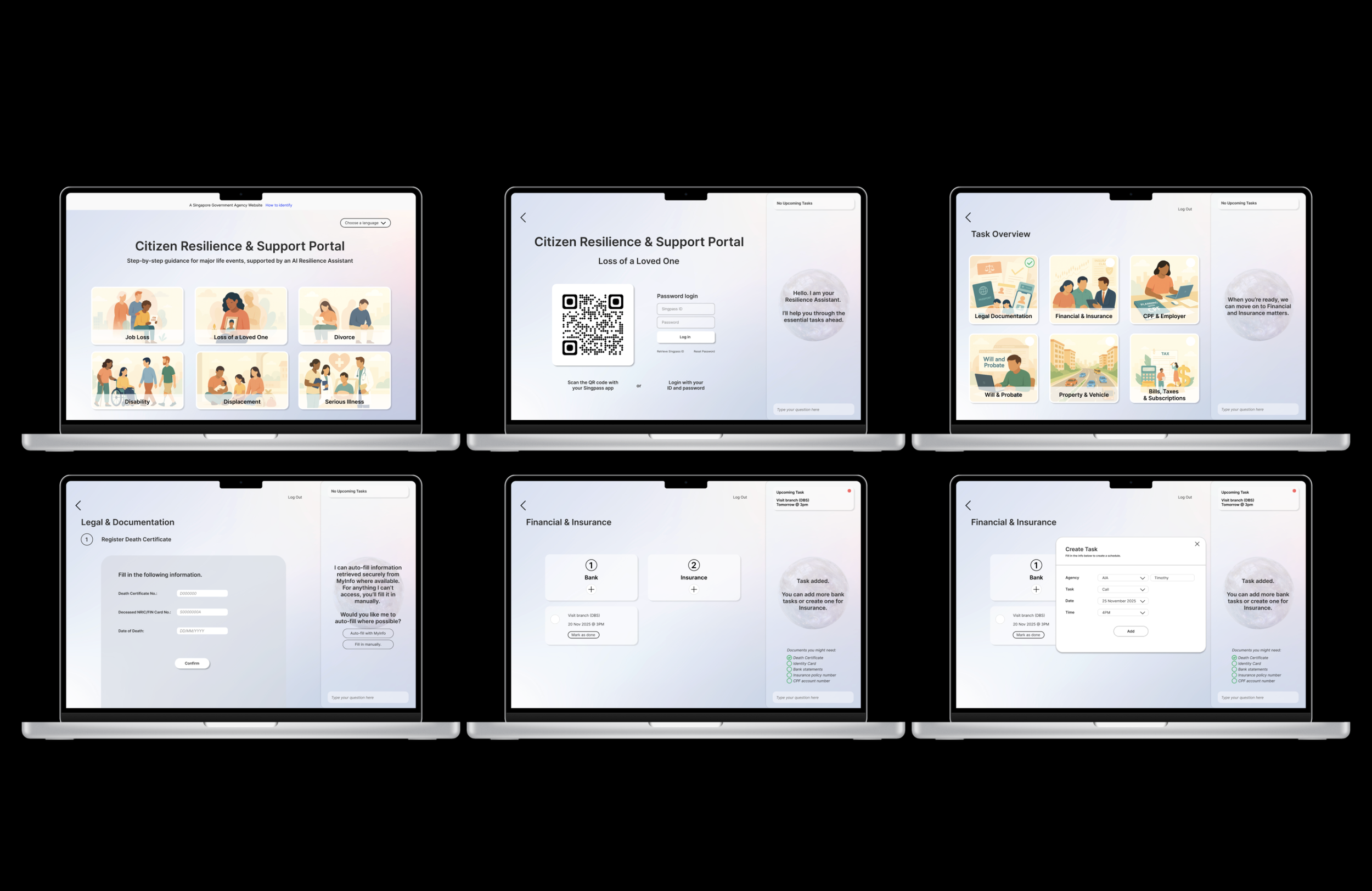
Final Screens
Reflections
I learned how critical cognitive load reduction is when designing for stressful contexts. The challenge was balancing minimal information with the need for completeness across legal, financial and documentation tasks.
I demonstrated:
Structured problem framing
Information architecture
Cognitive load thinking
UX writing and tone
Designing for senstive contexts
Ensuring AI supports rather than overwhelms
Structuring cross-agency flows in a way that feels coherent to users
While conceptual, the design demonstrated how small UX writing and IA decision can improve experiences during emotionally heavy life events.
This project also clarified that I enjoy content strategy, interaction design, and systems thinking slightly more than heavy UI component work.
Design, to me, is not just about interfaces. It’s about helping people do hard things with dignity and clarity.
future expansion
If feasibility and policy align, the next version could explore:
Multi-family collaboration
Mobile adaptation
More life events (divorce, illness, etc.)